Document Use Case: City, State and Zip Workflow
A common workflow in Documents is to retrieve party addresses. A City, State and Zip workflow can be reused often.

Start - The Start tool initiates the action and points to the next element in the workflow.
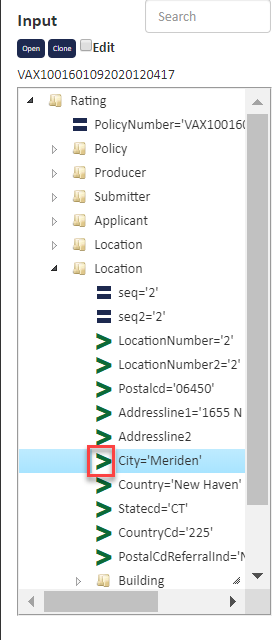
City - The city XML element is obtained by clicking the green pointer next to the City label in the XML Input tree on the right side of the workflow canvas.
 City Properties and Source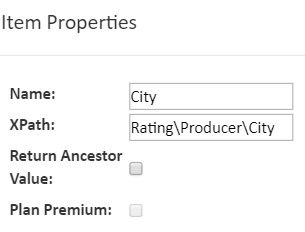
& - The ampersand operator collects the elements in an ordered manner.
Comma Constant - This constant is set to represent a comma.
&
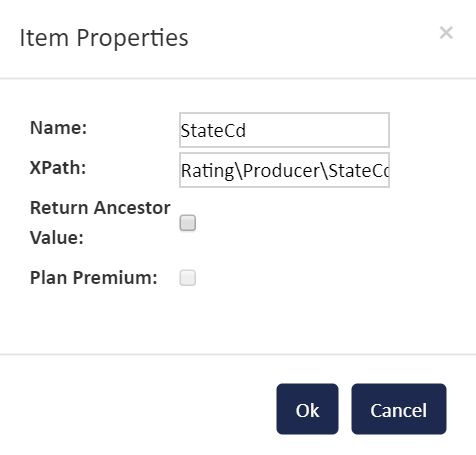
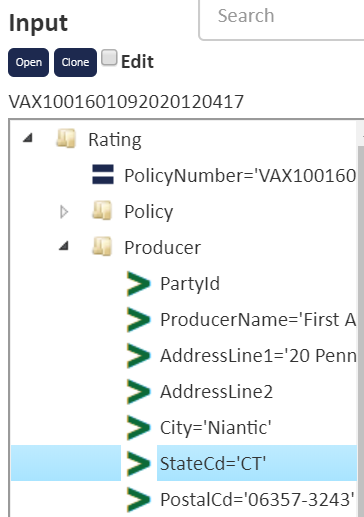
State - The state XML element is obtained by clicking the green pointer next to the StateCd label in the XML Input tree on the right side of the workflow canvas.
&
Space Constant - This constant is set to represent a space.
&
Postal Code - The postal code XML element is obtained by clicking the green pointer next to the PostalCd element in he XML Input tree on the right side of the workflow canvas.
= - The equals sign connector gathers all the items added together in the string and passes them to the next element.
End - The end element completes the task.